roboforex
RoboForex App: Mobile Trading on iOS and Android
- Difficulty
- Beginner
- Time
- 2 min
On this page
You can trade your RoboForex account from your phone — same account, same positions, on the go. Here's what's available and how to get in. New to the broker? See the RoboForex review.
The apps
- MetaTrader 4 / MetaTrader 5 — the standard MetaQuotes mobile apps; trade your RoboForex MT4/MT5 account.
- R MobileTrader — RoboForex's own mobile platform, with CopyFX copy trading built in (there's no separate CopyFX app).
- R StocksTrader app — the mobile side of R StocksTrader, for real shares and CFDs.
- Members Area app — manage your account, deposits and withdrawals (not a trading terminal).
All are on iOS and Android — install only from the official App Store / Google Play listings.
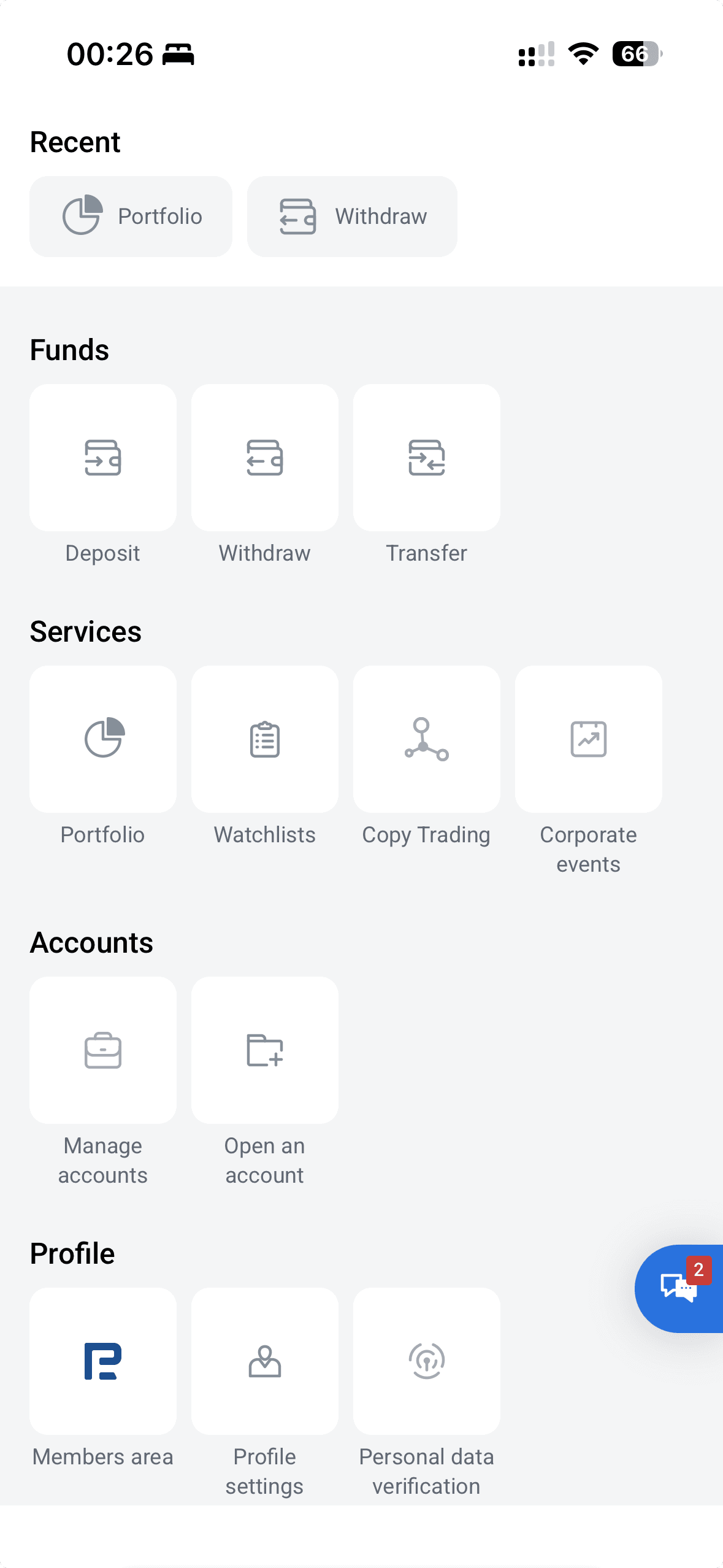
- 1Copy Trading is built into the app — there's no standalone CopyFX app.
- 2A Members-area shortcut for account management.
Download and log in
- Install the app from the official App Store / Google Play (avoid unofficial copies).
- Choose "log into an existing account."
- Search for your RoboForex server — the one that matches your account type (for example
RoboForex-Pro,RoboForex-ECNorRoboForex-ProCent; aRoboForex-Demoserver for practice) — then enter your account login and password. Use the exact server shown in your Members Area.
That's the same account you use on desktop — positions and balance sync.
What you can (and can't) do on mobile
The mobile apps handle the everyday work well: place and close orders, set stop-loss and take-profit, manage open positions, watch prices and read basic charts, and get push alerts. R MobileTrader adds copy trading in the same app. What's still easier on desktop: detailed charting and technical analysis, running Expert Advisors (EAs) on MT4/MT5, and managing many positions at once on a bigger screen. A common workflow is to analyse and set up on desktop, then monitor and adjust on mobile.
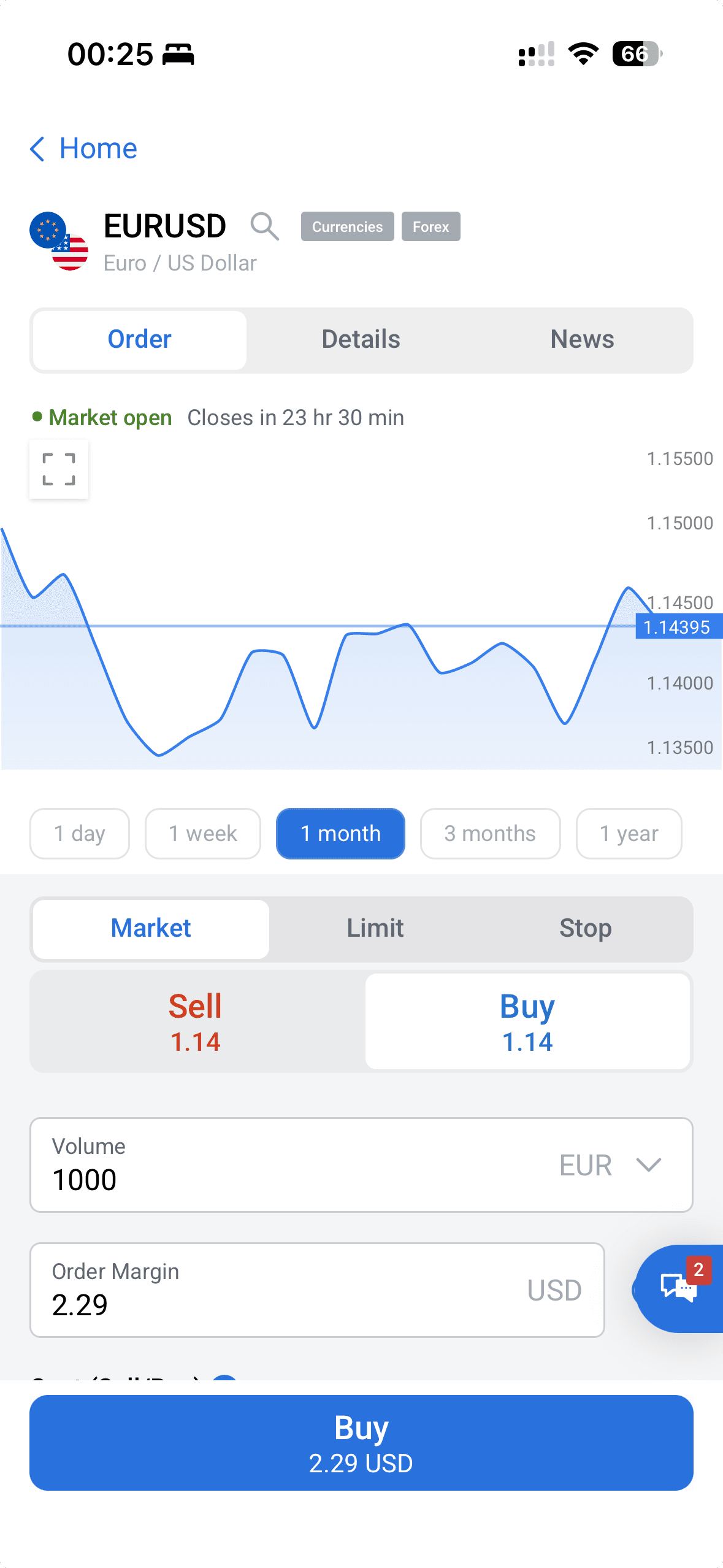
- 1Market / Limit / Stop order types, then Sell or Buy.
- 2Set the volume; the order margin is shown before you confirm.
Trading on a small screen magnifies mistakes — know your leverage and risk before you tap.
Availability & regulation
RoboForex serves retail clients through its offshore entity (RoboForex Ltd, Belize FSC) — including markets such as India, Malaysia, Nigeria and South Africa — but does not accept UK, EU, Canada, Australia or US retail clients. As an offshore broker it offers no statutory investor-protection scheme (only the private Financial Commission, up to EUR 20,000 per case). Verified mid-2026; re-confirm at publication.
Not available to retail clients in: the United States, the United Kingdom, the EU/EEA, Canada, Australia.
Frequently asked questions
Related guides
RoboForex Account Types: Which One to Open
RoboForex's account types compared — Pro, ProCent, ECN, Prime and R StocksTrader — what each costs, who it suits, and how to open one.
RoboForex Bonus & No-Deposit Bonus: What's Actually on Offer
RoboForex's bonuses explained — the current $30 Welcome Bonus, how it unlocks, the terms that decide whether it's worth it, and why a bonus is never a reason to pick a broker.
RoboForex CopyFX: How Copy Trading Works
RoboForex's CopyFX explained — how to copy a trader, how to become a provider, the fees, and the risks of copy trading.
How to Open a RoboForex Demo Account
A step-by-step walkthrough for opening a free RoboForex demo account and practising on MetaTrader with virtual funds — no risk, no deposit.
Written & tested by
The TradeCookbook team tests crypto exchanges and forex brokers on real, funded accounts and documents each step with original, dated screenshots. Every guide is fact-checked against primary sources and updated as platforms change.
- Hands-on testing on real, funded accounts
- Original, dated screenshots — never stock imagery
- Claims fact-checked against primary sources